Moving Pi-hole off my laptop and onto a Raspberry Pi
Pi-hole is a self-hosted, network-wide ad and tracker blocker. Instead of running an ad blocker in each browser on each device, you run Pi-hole once on a small always-on machine (classically a Raspberry Pi, hence the name) and point your network's DNS at it.
How it works, briefly:
- Every device on your network asks Pi-hole to resolve domain names (DNS queries)
- Pi-hole checks the domain against community-maintained blocklists (ads, trackers, telemetry, malware hosts — ~92k domains by default).
- If the domain is on a list, it answers with 0.0.0.0 the ad/tracker simply never loads.
- If it isn't, Pi-hole forwards the query to a real upstream resolver (like 1.1.1.1) and passes the answer back.
Because it works at the DNS layer, it covers everything on your network automatically — phones, smart TVs, apps that ignore browser ad blockers, IoT devices — without installing anything on them. It also gives you a web dashboard showing what each device is querying, which is equal parts useful and mildly horrifying the first time you look at it.
  ┌──────────────┐
  │   You, at    │
  │  the iMac    │
  │              │
  │  Type in     │
  │  browser:    │
  │ nytimes.com  │
  └──────┬───────┘
         │
         │ 1. Browser needs an IP for "nytimes.com"
         │    OS asks its configured DNS server.
         │    (Tailscale MagicDNS says: use the Pi)
         ▼
  ┌────────────────────────────────────────────────┐
  │           Raspberry Pi  —  Pi-hole             │
  │                                                │
  │  Q: "What's the IP of nytimes.com?"            │
  │                                                │
  │  Step A: Check gravity DB (blocklist)          │
  │          └─ nytimes.com NOT on list  ✓         │
  │                                                │
  │  Step B: Forward upstream → 1.1.1.1            │
  │          └─ 1.1.1.1 replies: 151.101.1.164     │
  │                                                │
  │  Step C: Cache it, return to iMac              │
  └──────────────────────┬─────────────────────────┘
                         │
                         │ 2. "nytimes.com = 151.101.1.164"
                         ▼
  ┌──────────────┐
  │    iMac      │
  │   Browser    │
  └──────┬───────┘
         │
         │ 3. Browser opens an HTTPS connection to that IP.
         │    The packets go: iMac → router → ISP → internet → NYT servers.
         │    (Pi-hole is NOT in the data path here — it only answered DNS.)
         ▼
  ┌──────────────────┐        ┌───────────────────┐
  │  Home router     │───────▶│   NYT web server  │
  │  (just routes    │◀───────│   returns HTML    │
  │   IP packets)    │  HTML  │                   │
  └──────────────────┘        └───────────────────┘
         │
         │ 4. Browser parses the HTML and finds embedded stuff:
         │       <script src="https://pagead2.googlesyndication.com/...">
         │       <img    src="https://www.googletagmanager.com/...">
         │       <iframe src="https://doubleclick.net/...">
         │
         │    Each of those needs its OWN DNS lookup.
         ▼
  ┌────────────────────────────────────────────────┐
  │           Raspberry Pi  —  Pi-hole             │
  │                                                │
  │  Q: "What's the IP of                          │
  │      pagead2.googlesyndication.com?"           │
  │                                                │
  │  Step A: Check gravity DB                      │
  │          └─ ON BLOCKLIST  ✗                    │
  │                                                │
  │  Step B: DON'T forward upstream.               │
  │          Reply immediately: 0.0.0.0            │
  │                                                │
  │  Log it to the dashboard as "blocked"          │
  └──────────────────────┬─────────────────────────┘
                         │
                         │ 5. "pagead2.googlesyndication.com = 0.0.0.0"
                         ▼
  ┌──────────────────────────────────────────┐
  │  iMac Browser                            │
  │                                          │
  │  Tries to connect to 0.0.0.0 ...         │
  │  → no route, connection fails instantly  │
  │  → the ad element silently collapses     │
  │                                          │
  │  Meanwhile the real NYT content          │
  │  (article text, images from nyt.com)     │
  │  loads normally.                         │
  └──────────────────────────────────────────┘

  Result: You see the article. You don't see the Google ad.
          The ad request never left your network — Pi-hole
          short-circuited it at the DNS step.
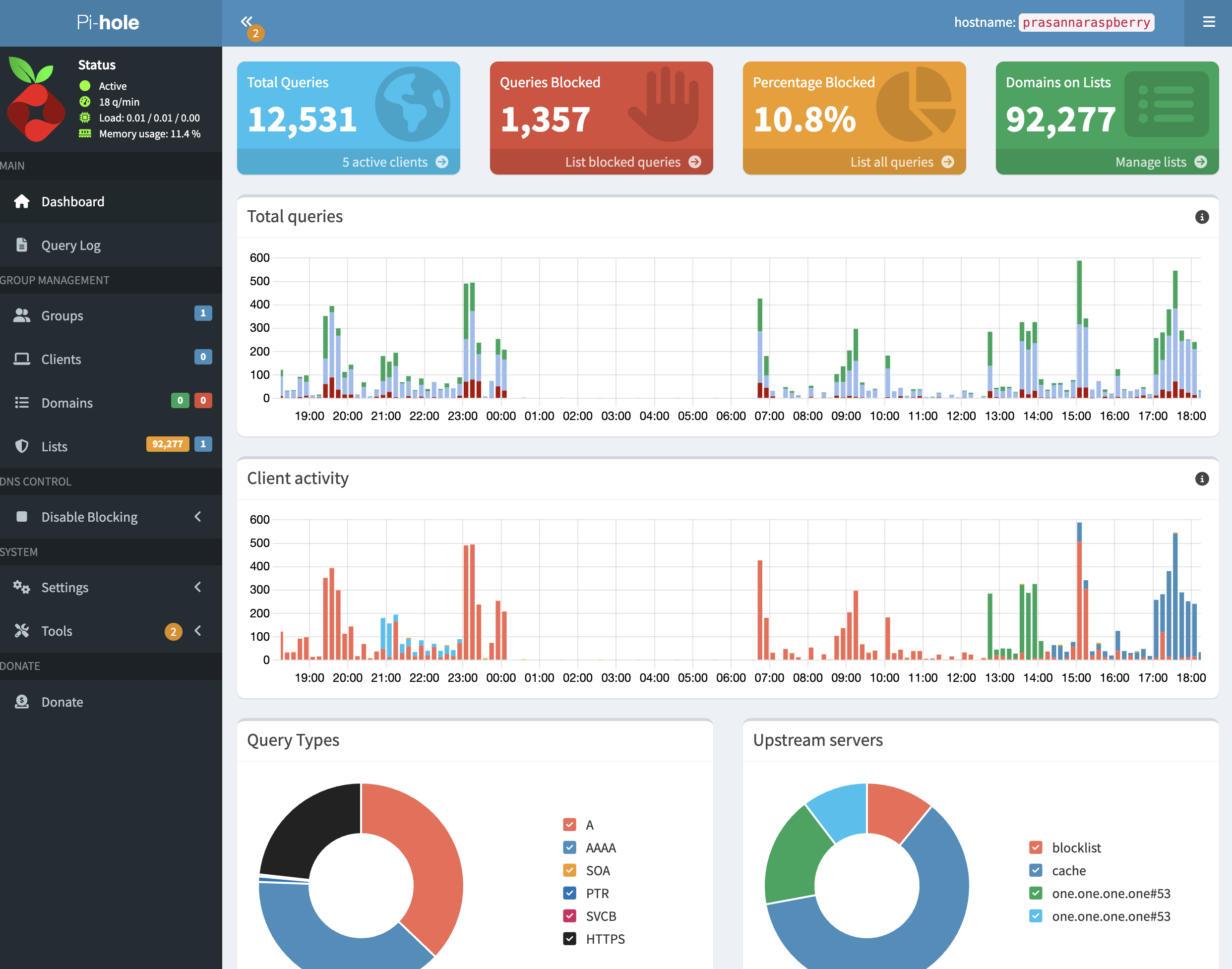
For about a week, my network-wide ad blocker lived inside a Docker container on my Arch Linux laptop. It was a "let me test the waters" setup — I wanted to see whether Pi-hole was actually something I'd use day-to-day before committing to real hardware for it. It worked. But running a 24/7 DNS server on a laptop I also use for, well, being a laptop felt silly almost immediately. Every time I closed the lid or rebooted to try a new kernel, every device on my Tailscale would lose DNS for a minute. Not catastrophic. Just enough to make me wince.
A week was enough to convince me Pi-hole was worth keeping. But it was also enough to convince me that the laptop was the wrong home for it. Laptops should do laptop things, and the boring always-on services should live on a boring always-on machine. So last week I moved Pi-hole from the Arch laptop to a Raspberry Pi sitting quietly on a shelf, and pointed my whole Tailscale at it.
Here's what happened.
Why a Pi, and why now
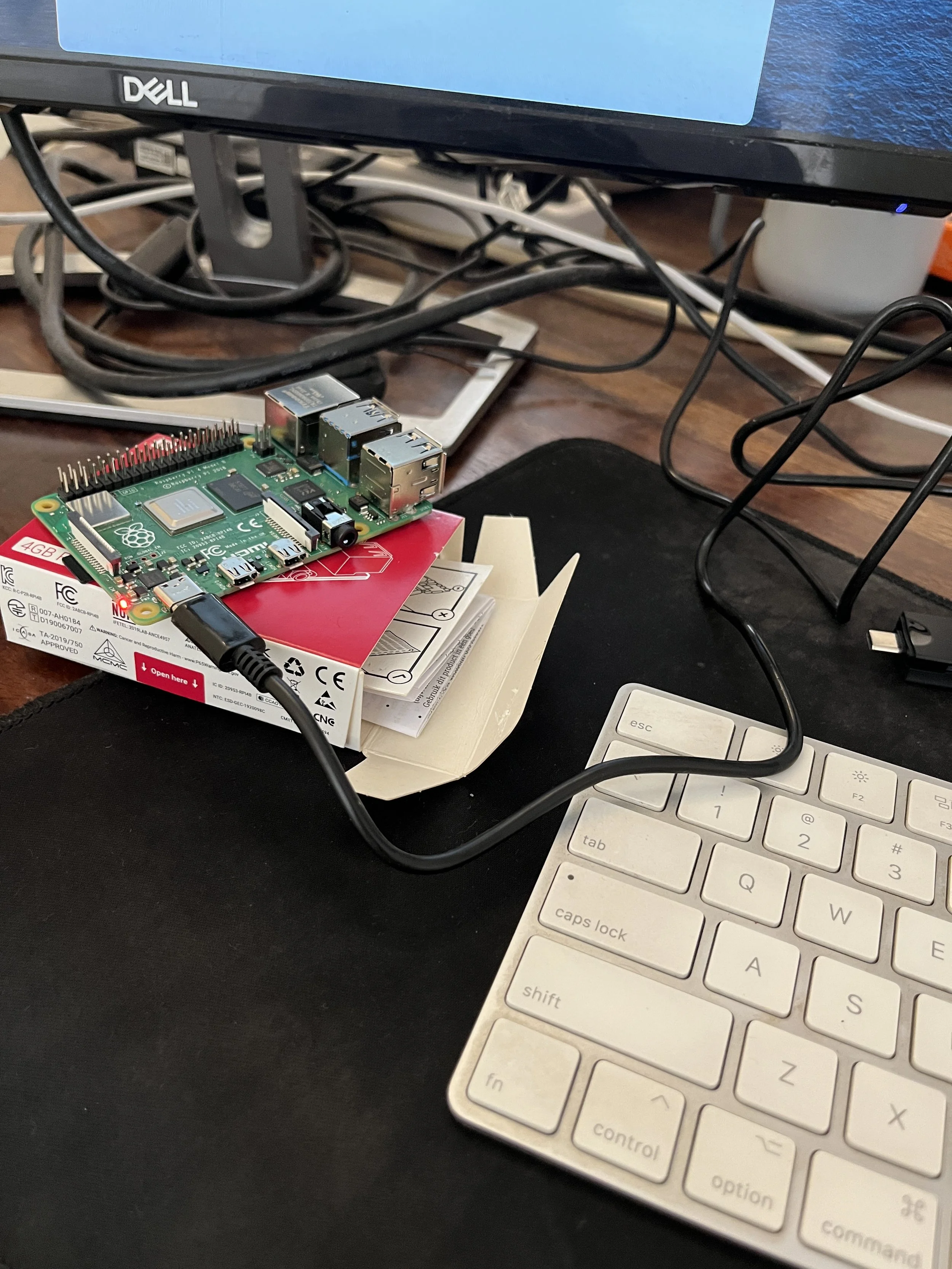
The honest answer is that I was nervous about myself. The longer Pi-hole lived on the laptop, the more "infrastructure" I was accidentally hosting there. First it was DNS. Then I started thinking about a little Git mirror. Then maybe Jellyfin. You can see where this is going. Two machines quietly turning into one fragile, overloaded one, with me as the single point of failure whenever I wanted to tinker with the laptop.
Splitting the roles felt healthier. Laptop: the thing I use. Pi: the thing that just runs. If future-me wants to host more services, at least they'll have a home that isn't also my daily driver. The Pi is running Debian 13, has Tailscale already connected, and — importantly — doesn't have Docker on it.
On the laptop I had originally gone with the Docker image because Arch's Pi-hole packaging was awkward. On Debian there's no reason not to use the native installer, so I decided to skip Docker entirely. One less moving part.
The install, and the small lie it told me
Pi-hole has a lovely "unattended" install mode. You drop a `setupVars.conf` into `/etc/pihole/`, pipe the installer into bash, and walk away. I used upstream DNS `1.1.1.1` / `1.0.0.1`, turned query logging on, enabled the web interface, and left `WEBPASSWORD` blank to set it later.
A couple of minutes later the installer reported success: Pi-hole v6, default blocklist downloaded, around 92,000 domains ready to be blocked. I poked the API and saw the version numbers come back. I smiled. I moved on. I shouldn't have moved on.
I shouldn't have moved on.
"Why is google.com's ad subdomain still resolving?"
Before flipping my Tailscale over to the new Pi, I wanted to sanity check that blocking actually worked. So I ran `dig` against the Pi for a domain I knew was on the default list:
It returned a real IP. Not `0.0.0.0`. A real, live, Google-owned address. Pi-hole was happily forwarding a domain that should have been blocked. For a minute I thought I'd misread the blocklist. But `pihole -q ads.google.com` confirmed it: yes, it's in the StevenBlack list Pi-hole ships with by default. So the list was there. The domain was in the list. And Pi-hole was ignoring it.
Then I hit the API again and looked more carefully:
Negative two. Not "92,277". Not even zero. Negative two. That's the number you get when the number isn't really a number — when Pi-hole's DNS engine hasn't actually loaded the gravity database into memory yet.
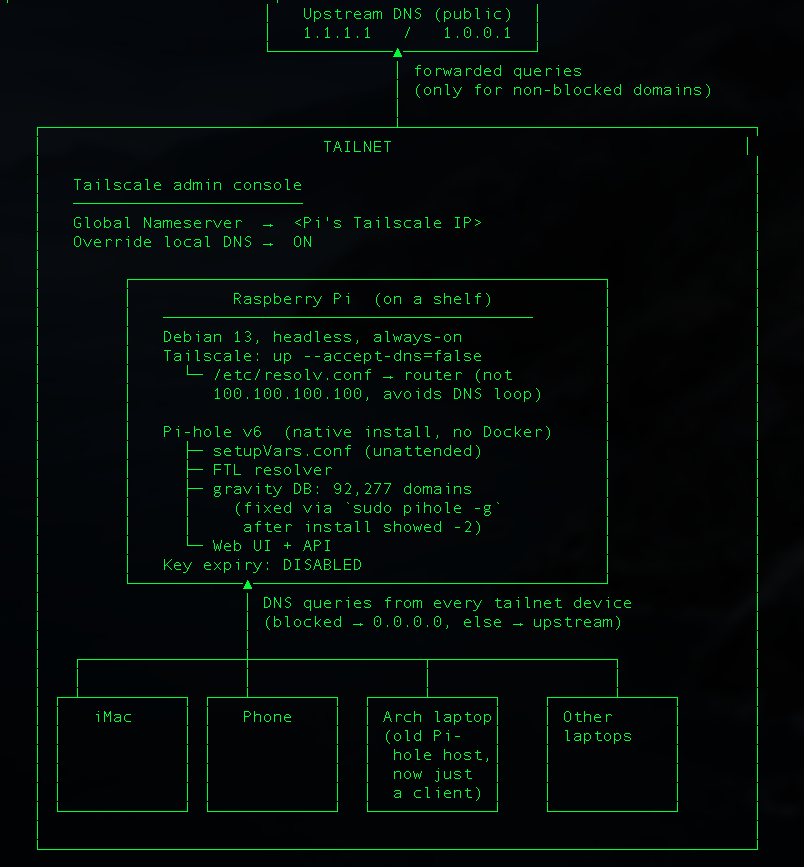
The unattended installer had downloaded the blocklist and written the database to disk, but FTL (the resolver) had started up before it was ready and never picked it up. The fix turned out to be one command:
That rebuilds gravity from the current blocklists and tells FTL to reload. A few seconds later the API said `domains_being_blocked: 92277`, and `ads.google.com` started resolving to `0.0.0.0` like a good little blocked domain should. If you're doing an unattended Pi-hole install, this is the thing I'd warn you about.
The installer will tell you it succeeded. The web UI will load. The numbers will be quietly wrong. Always test with a known-bad domain before you trust it.
The DNS loop I narrowly avoided
The other thing that nearly bit me was DNS loops. Tailscale, by default, sets your machine's DNS to its MagicDNS server (`100.100.100.100`).
That's lovely on a client. It is not lovely on the machine that's running the Tailscale’s DNS server, because queries from the Pi would go to Tailscale, which would come right back to the Pi, which would ask Tailscale, which would... you get it. The fix was to tell Tailscale to stop managing DNS on this one machine:
After that, `/etc/resolv.conf` went back to using my router as the upstream, and the Pi could happily resolve things without tripping over itself. Pi-hole on the Pi only needs to answer questions from other devices on the Tailscale — the Pi itself is headless, there are no ads to block locally, so pointing its own resolver at itself would have been pure ceremony anyway.
Flipping the switch
With blocking actually working and the loop avoided, the last step was the easiest. In the Tailscale admin console I swapped the Global Nameserver from the old laptop's Tailscale IP to the Pi's, kept "Override local DNS" enabled, and disabled key expiry on the Pi so it wouldn't silently log itself out of the Tailscale in three months. From my iMac, one Tailscale hop away:
It worked. Every device on my Tailscale — phone, laptops, the iMac — was now routing DNS through a small computer on a shelf instead of through whatever laptop I happened to be using that day.
What I took away from this
Two things, mostly.
The first is that "unattended" installers are a promise, not a guarantee. They'll usually work. When they don't, they fail in weird partial ways that look like success. I got lucky because I'm a little paranoid about verifying new things. If I'd just pointed my whole Tailscale at the Pi without checking, I would have spent a confusing afternoon wondering why the ads had come back.
The second is that giving services their own home is its own kind of reward. The laptop feels lighter now. Closing the lid no longer has consequences for anyone but me. And the Pi — a brave little machine — is doing exactly one job, quietly, the way it's supposed to. Next up, probably, is figuring out what else deserves to live on that shelf.